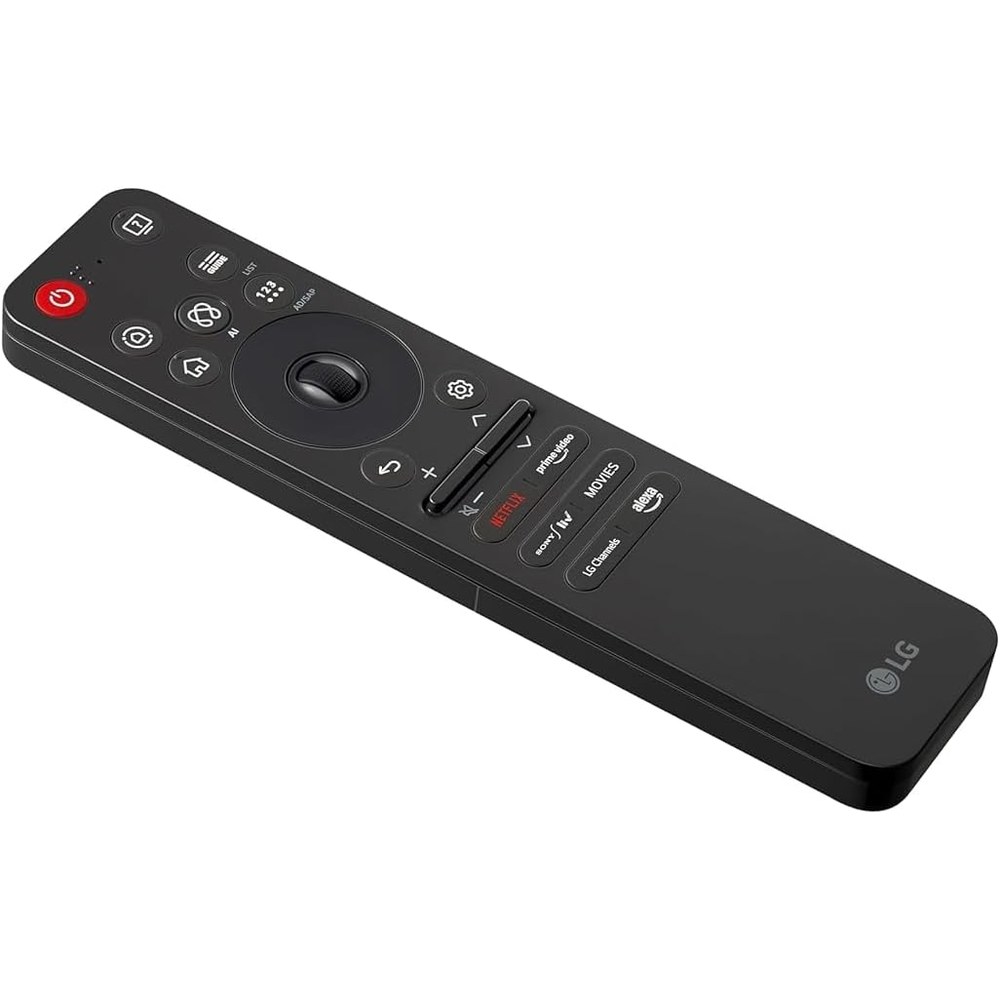
LG Magic Remote vs IR replacement — when Bluetooth matters
Stock note (2026-09-17): Same-day recheck — LG Original B0FJY7Y4LR Currently unavailable (no buy CTA). Third-party Magic rows below were In Stock / limited with add-to-cart. Tag legithelp-20. No prices.
Bought a cheap “LG TV remote,” got power and volume back, but lost the pointer, scroll wheel, and voice? That is usually not a defective TV—it is the difference between a standard IR remote and an LG Magic Remote. This page sticks to what LG documents and what same-day Amazon listings actually show.
Magic vs standard (LG’s own contrast)
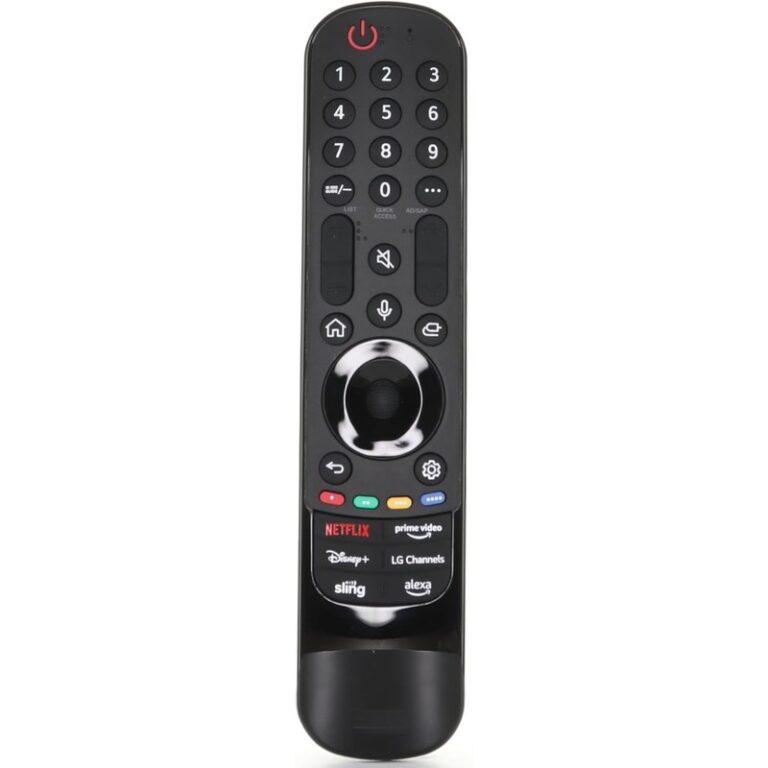
On LG USA’s Magic Remote hub, LG states it plainly: a standard LG remote uses infrared for basic control; the Magic Remote adds Bluetooth, a motion-controlled pointer, a scroll wheel, and voice commands.
A 2020 Magic Remote PDF from LG USA labels the hardware as having IR and an RF (“Bluetooth”) transmitter. Pairing is typically: press the Wheel (OK); unpairing is often BACK + HOME hold ~5 seconds until the LED blinks (button combos vary by year—check your manual).
So when Bluetooth (Magic RF) matters:
| You need | What Magic docs support | What an IR-only path delivers |
|---|---|---|
| Motion pointer / mouse-like UI | Pointer after successful pairing; shake the remote | Not claimed for standard IR remotes on LG’s Magic FAQ |
| Scroll wheel navigation | Wheel is a Magic differentiator; also used to register | Not claimed for “standard LG remote” |
| Voice / assistants | Voice on Magic; needs network (and often LG account / voice terms) | Voice is not Magically restored by an IR-only universal |
| Basic power / volume | May still work via IR aiming even when Magic link drops | Often what cheap IR replacements restore |
| Initial pairing handshake | Regional LG help: TV must receive IR sensor output during pairing—point at the TV | Explains why “aim at the TV” still matters for Magic remotes |
LG Africa Support even splits troubleshooting: Magic remotes can show up in Bluetooth discovery as something like LGE MRXX; standard remotes are treated as IR line-of-sight devices.
Do not expect an unnamed “LG universal IR” stick to recreate Magic pointer or voice. Prefer a year-matched Magic Remote model name when those features matter.
Official naming: MRyyGA / MRyyGN
On LG USA accessories pages, consumer naming looks like:
| Marketing name | Short code | LG USA product page (verify your TV series) |
|---|---|---|
| 2026 Magic Remote Control | MR26GA | lg.com MR26GA — lists 2026 OLED W6/G6/C6/B6 and notes compatibility with Y2025 / Y2024 TVs (confirm exact model) |
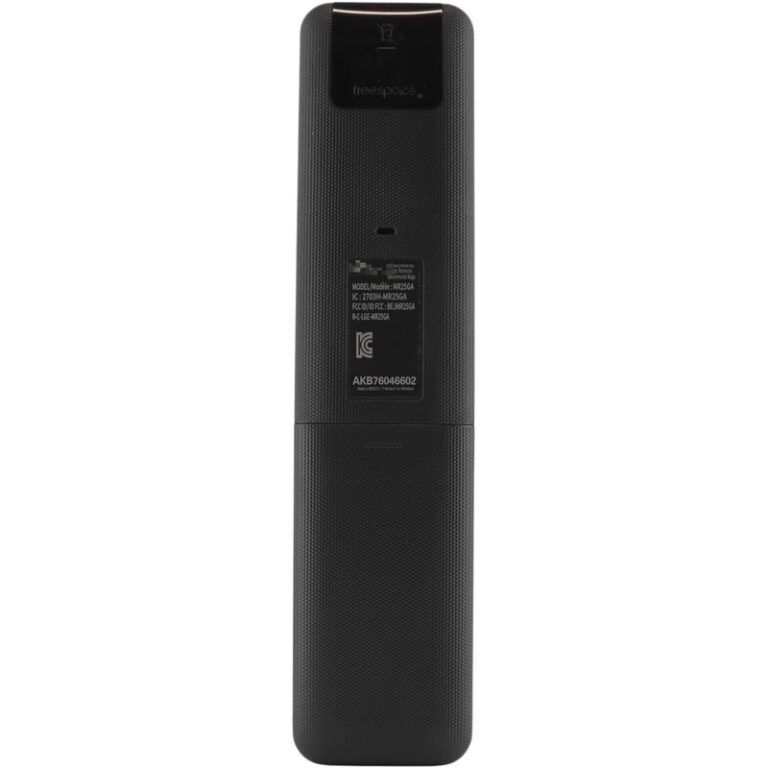
| 2025 Magic Remote Control | MR25GA | lg.com MR25GA — OLED G5/C5/B5, QNED 92A/85A/80A, UA77 class |
| Magic Remote Control | MR24GN | lg.com MR24GN — OLED G4/C4/B4, QNED 99T/90T/85T/80T, UT80/UT75 |
Hub: lg.com/us/magic-remote. Newer remotes may not expose every feature on older TVs—match series lists, then verify your exact model.
Amazon titles often also show aliases like AN-MR25GA or board codes (AKB76046602 / AKB76046603). Treat those as seller-stated part aliases until they match your TV’s accessory list or invoice.
Pairing, pointer, and voice (practical)
Typical re-pair (LG USA Support):
- Turn the TV on; wait ~20 seconds.
- Point the remote at the TV.
- Press the scroll wheel (OK).
- Confirm the on-screen registered message.
Unpair varies by year—examples in LG guides include BACK + HOME ~5 seconds, BACK + SETTINGS, or Home + Settings on some 2021+ paths. Then wheel to re-pair. If the pointer is missing when you shake the remote, the connection was likely lost—re-register.
Voice needs an internet connection (MR20 PDF + USA Help). If everything else works but voice fails, fix network / account / voice terms before blaming the remote.
IR still matters for the pairing handshake: regional LG help notes the TV must see the remote’s IR output during pairing attempts. Continuous Magic RF communication also means higher battery use than a plain IR remote.
Same-day Amazon candidates (stock honesty)
Draft Associates tag format only: legithelp-20. No prices. Soft blockers from research sign-off are honored below.
LG Original MR25GA — currently unavailable (soft blocker)
LG Original AI Magic Remote MR25GA listed as ASIN B0FJY7Y4LR was Currently unavailable at research fetch. Until stock returns and is re-verified, this page does not use it as a buy CTA. Prefer LG.com accessories pages for official naming, or the in-stock third-party Magic-style remotes below (clearly labeled non-OEM).
MR26GA: LG.com product page exists; no verified Amazon ASIN same-day—no invented link.
In-stock Magic-style remotes (third-party — not “LG Original”)
-
(
B0G4XFYYL4) — seller states RF (Bluetooth) and IR; Wheel pairing. Disclose: not LG brand. -
(
B0FL2HN5NV) — 2024-series language; not LG brand. -
(
B0FWC1SCQN) — low stock at fetch; third-party; match year / part code.

Ambiguous stock — not linked as CTA
ASIN B0FSWV15PX showed mixed “In Stock” UI vs unavailable JSON in research. Per soft blocker: re-fetch before any draft link—omitted here until stock is clean.
Rejected research ASIN B0FHK3YRXN (landed on unrelated product) — not used.
When an IR replacement is enough
Choose a simple IR / standard remote path if you only need aim-and-press basics (power, volume, input) and you accept losing Magic pointer, wheel navigation, and voice. LG’s own FAQ frames that as the standard remote job.
Choose a year-matched Magic Remote (MR24 / MR25 / MR26 family) if you want the Magic UI back. Confirm series compatibility on LG’s accessory page for your TV year before buying any Amazon listing—especially third-party ones.
Decision checklist
- Did the old remote have a pointer / wheel / mic? → You likely need Magic, not IR-only.
- Match MRyy to your TV year on LG.com.
- Prefer LG Original when in stock; otherwise label third-party clearly and match part aliases.
- Pair with Wheel after batteries; aim at the TV (IR handshake).
- Still stuck? See how to find your TV model number and why universal series codes miss Magic Bluetooth.
Manufacturer references for footnotes: Magic hub · MR26GA · MR25GA · MR24GN · MR20 PDF · pair / voice Help.
As an Amazon Associate, we earn from qualifying purchases.